

Demystifying Infrastructure as Code: Understanding IaC with Terraform
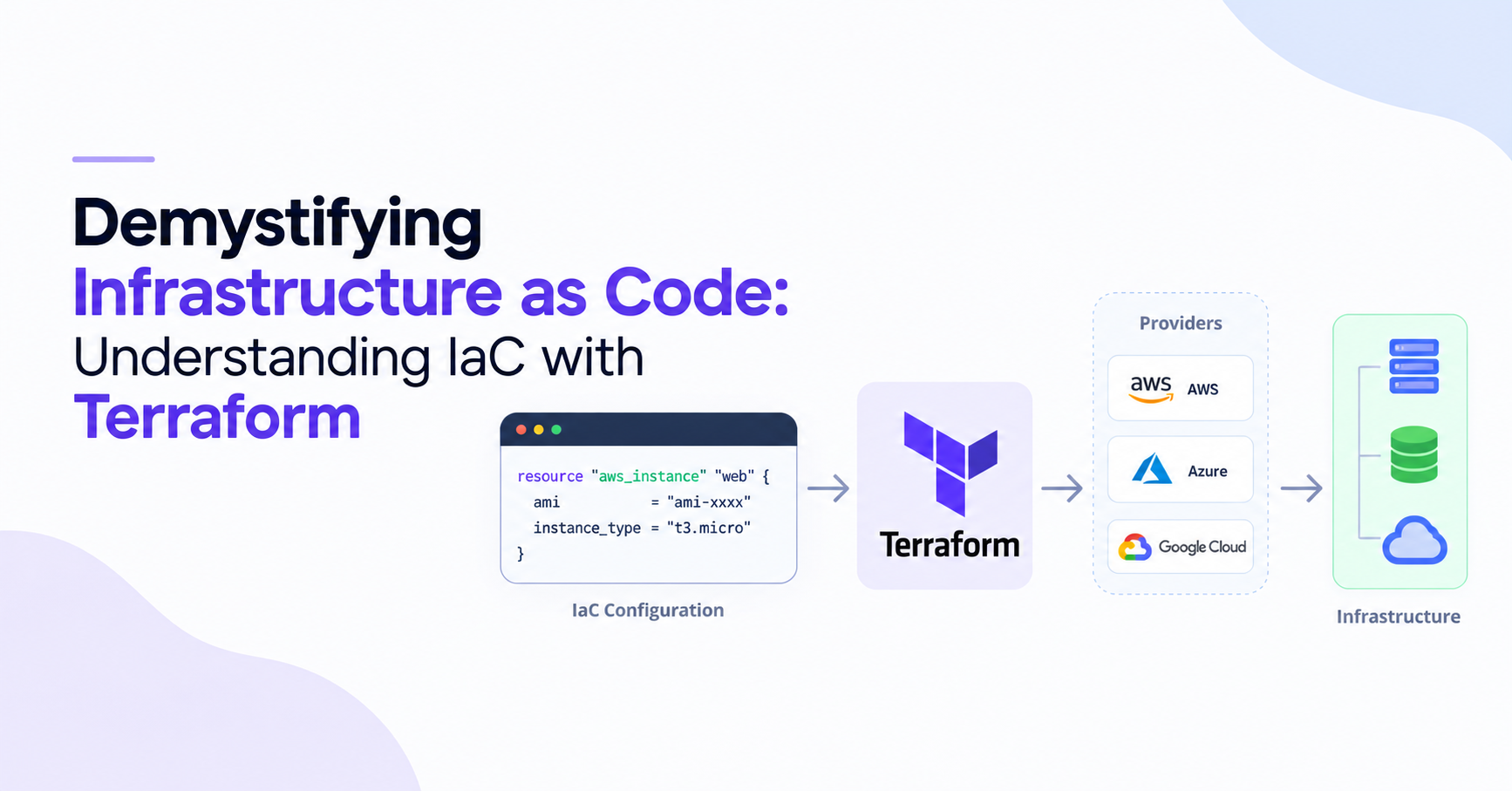
Infrastructure as Code (IaC) is the core concept behind Terraform. Before learning Terraform commands and configuration files, it is important to first understand what IaC is and how it helps manage infrastructure.
Terraform is one of the most widely used tools for implementing IaC. So instead of treating Terraform as a completely separate topic, it is better to understand the relationship like this:
Infrastructure as Code
        ↓
   How infrastructure
   can be managed with code
        ↓
     Terraform
        ↓
   A tool used to
   implement IaC
Let's understand this from the ground up.
1. How Infrastructure Was Managed Traditionally
Imagine a company wants to create an application on AWS.
It might need:
EC2
S3
VPC
Subnets
Security Groups
RDS
Load Balancer
One way to create these resources is to open the AWS Console and manually click through the required options.
For example:
AWS Console
    ↓
Create EC2
    ↓
Choose AMI
    ↓
Choose instance type
    ↓
Configure network
    ↓
Configure security group
    ↓
Launch
This works, but imagine doing the same thing for hundreds of servers.
It becomes:
Slow
Repetitive
Difficult to maintain
Easy to configure differently by mistake
Difficult to reproduce
This creates a need for automation.
2. What Is an API?
Before understanding automation, we need to understand APIs.
An API, or Application Programming Interface, allows one piece of software to communicate with another system.
For example, AWS provides APIs that allow software to perform operations such as:
Create an EC2 instance
Create an S3 bucket
Create a VPC
Delete a resource
Update a resource
So instead of a human clicking:
AWS Console
     ↓
Create EC2
a program can communicate with AWS:
Program
   ↓
AWS API
   ↓
Create EC2
The API acts as a bridge between the program and AWS.
3. API as Code
Now imagine instead of manually using an API, we write a program that calls the API.
For example, Python can use the AWS SDK:
import boto3

ec2 = boto3.client("ec2")

ec2.run_instances(
    ImageId="ami-xxxxxxxx",
    InstanceType="t3.micro",
    MinCount=1,
    MaxCount=1
)
The Python code is not directly creating the EC2 instance by itself.
It is essentially saying:
"AWS, please create an EC2 instance with these settings."
The flow is:
Python Code
    ↓
AWS SDK
    ↓
AWS API
    ↓
EC2
This is the basic idea behind API as Code:
Using code to communicate with an API instead of manually interacting with a system.
And this concept isn't limited to AWS.
You can write code that communicates with:
GitHub API
Kubernetes API
AWS APIs
Azure APIs
Google Cloud APIs
Database APIs
SaaS APIs
So, API as Code is a broad concept.
4. Then What Is Infrastructure as Code?
Now, let's narrow the focus.
If we use code specifically to define and manage infrastructure, we get:
Infrastructure as Code (IaC).
Infrastructure can include:
Servers
Networks
Databases
Storage
Load Balancers
Security Groups
DNS
Kubernetes resources
Instead of manually saying:
"Create an EC2 instance."
we describe the infrastructure we want.
For example, Terraform configuration might say:
resource "aws_instance" "web" {
  ami           = "ami-xxxxxxxx"
  instance_type = "t3.micro"
}
This means, roughly:
"There should be an AWS EC2 instance with this configuration."
The important difference is that IaC focuses on infrastructure.
5. API as Code vs Infrastructure as Code
This distinction is important.
API as Code
The main idea is:
Use code to communicate with an API.
For example:
Python
   ↓
GitHub API
   ↓
Create repository
or:
Python
   ↓
AWS API
   ↓
Create EC2
Infrastructure as Code
The main idea is:
Use code to define and manage infrastructure.
For example:
Terraform
    ↓
Define EC2
    ↓
Define VPC
    ↓
Define RDS
    ↓
Manage infrastructure
So:
API as Code
     ↓
A broad idea of programmatic API interaction

Infrastructure as Code
     ↓
A specific use of code for infrastructure management
They are related, but they are not two competing technologies.
6. Why Do We Need IaC?
Imagine a company which has hundreds of applications.
It may have infrastructure such as:
AWS
 ├── EC2
 ├── S3
 ├── VPC
 ├── RDS
 └── Load Balancers
Creating everything manually would be difficult.
With IaC, the infrastructure can be represented as code and stored in Git:
infrastructure/
│
├── network.tf
├── servers.tf
├── database.tf
└── security.tf
Now infrastructure becomes similar to application code.
It can be:
Stored in Git
Reviewed
Version controlled
Reused
Automated
Tested
Applied repeatedly
For example:
Git Repository
      ↓
Infrastructure Code
      ↓
IaC Tool
      ↓
Cloud
This is the main value of Infrastructure as Code.
7. The Problem With Different Cloud Platforms
Now another problem appears.
Suppose a company uses multiple platforms:
AWS
Azure
GCP
On-Premises
Each platform has its own services and APIs.
Historically, cloud providers also had their own infrastructure automation approaches.
For example:
AWS       → CloudFormation
Azure     → ARM Templates
OpenStack → Heat
An AWS CloudFormation template is designed for AWS.
You cannot simply take that same template and run it on Azure.
So a company working across multiple platforms may have to deal with different tools and approaches.
This can increase:
Learning requirements
Maintenance
Migration effort
Complexity
This is where Terraform becomes useful.
8. What Is Terraform?
Terraform is an Infrastructure as Code tool created by HashiCorp.
Its job is to allow you to describe infrastructure using configuration files and then create and manage that infrastructure.
For example:
resource "aws_instance" "web" {
  ami           = "ami-xxxxxxxx"
  instance_type = "t3.micro"
}
Terraform reads this configuration and works with the appropriate platform to make the infrastructure match the configuration.
The basic idea is:
Terraform Code
      ↓
Terraform
      ↓
Cloud / Platform
      ↓
Infrastructure
9. How Does Terraform Talk to AWS?
This is where APIs come back into the picture.
Terraform doesn't directly control every cloud platform by itself.
It uses something called a provider.
For AWS:
Terraform
    ↓
AWS Provider
    ↓
AWS API
    ↓
AWS Infrastructure
For Azure:
Terraform
    ↓
Azure Provider
    ↓
Azure API
    ↓
Azure Infrastructure
For Google Cloud:
Terraform
    ↓
Google Cloud Provider
    ↓
Google Cloud API
    ↓
GCP Infrastructure
The provider knows how to communicate with that particular platform.
This is one of the most important things to understand about Terraform.
10. What Is a Terraform Provider?
A provider is the bridge between Terraform and an external platform or service.
For example:
Terraform
    ↓
AWS Provider
    ↓
AWS
The AWS provider knows how Terraform resources such as:
aws_instance
aws_s3_bucket
aws_vpc
aws_security_group
map to AWS operations.
So, when you write:
resource "aws_instance" "web" {
  instance_type = "t3.micro"
}
Terraform doesn't simply execute this text as an AWS command.
Instead:
The provider handles the communication with AWS using AWS API.
        Terraform Configuration
                   ↓
               Terraform
                   ↓
              AWS Provider
                   ↓
                AWS API
                   ↓
                  EC2
11. Terraform and the API Connection
Now the complete picture should start making sense.
You write:
resource "aws_instance" "web" {
  instance_type = "t3.micro"
}
Terraform processes it.
The AWS provider communicates with AWS.
AWS exposes APIs.
Those APIs perform the actual operation.
So:
        Your Terraform Code
                ↓
             Terraform
                ↓
          AWS Provider
                ↓
             AWS API
                ↓
         AWS Infrastructure
This is why understanding APIs makes Terraform easier to understand.
Terraform is an IaC tool, and providers allow it to communicate with infrastructure platforms through their APIs.
12. Terraform and Desired State
Terraform is based on the idea of desired state — describing what the infrastructure should look like instead of writing step-by-step instructions for how to create it.
The desired state is defined in your Terraform configuration files.
For example:
resource "aws_instance" "web" {
  instance_type = "t3.micro"
}
This configuration expresses the desired state:
Terraform Configuration
        ↓
   Desired State

EC2 instance
Instance type: t3.micro
Terraform then compares this desired state with the infrastructure it currently knows about and determines what actions are required.
For example, if the desired state is:
EC2 instance
Instance type: t3.micro
but the infrastructure does not exist:
Current:
EC2 = does not exist
Terraform plans to:
Create EC2 instance
Similarly, if the configuration is changed to:
instance_type = "t3.small"
while the existing instance is:
Current:
EC2 = t3.micro
Terraform detects that the infrastructure does not match the desired configuration and determines the required change.
This is one of the key differences between Terraform and a traditional script.
A script might describe the individual actions:
Call API
    ↓
Create instance
    ↓
Set instance type
    ↓
Configure networking
Terraform instead describes the end result:
What should the infrastructure look like?
                ↓
Terraform determines the required changes
So the basic idea is:
You describe the desired infrastructure, and Terraform determines how to make the real infrastructure match it.
13. Terraform State
To manage infrastructure effectively, Terraform also needs to keep track of the resources it manages. This information is stored in Terraform state.
For a local Terraform setup, the state is commonly stored in:
terraform.tfstate
The state file is not the desired state.
The Terraform configuration tells Terraform what you want.
The state records Terraform's knowledge about the resources it manages, including information such as resource IDs and other attributes.
For example, after creating an EC2 instance, the state may contain information similar to:
aws_instance.web
    ├── resource ID
    ├── instance type
    ├── IP address
    ├── region
    └── other resource attributes
This allows Terraform to understand which real-world resources correspond to the resources declared in the configuration.
For example:
Configuration              State                 Infrastructure
     │                       │                         │
     │                       │                         │
     │               "aws_instance.web"                │
     └───────────────► Terraform ◄─────────────────────┘
                          │
                          ▼
                   Determine changes
Suppose the configuration declares:
instance_type = "t3.small"
and Terraform's state and refreshed infrastructure information indicate that the existing instance is:
t3.micro
Terraform can identify the difference:
Desired:  t3.small
Current:  t3.micro
             ↓
       Change required
The state therefore acts as an important record of the infrastructure Terraform manages. It helps Terraform map resources in your configuration to real infrastructure and determine what needs to change during operations such as plan and apply.
Desired State vs Terraform State
The distinction is important:
Terraform Configuration
        │
        │ defines
        ▼
   Desired State
        │
        │
        │ compared by Terraform
        ▼
   Terraform Plan
        ▲
        │
        │ uses
        │
   Terraform State
        │
        │ tracks
        ▼
 Managed Infrastructure
The easiest way to remember the difference is:
Desired State
     │
     └── What you WANT
         Defined by Terraform configuration

Terraform State
     │
     └── What Terraform KNOWS
         Recorded in the state
So:
Terraform configuration defines the desired state, while Terraform state records Terraform's knowledge of the infrastructure it manages.
14. Terraform Is More Than Just API Calls
At first, Terraform might look like this:
Terraform
   ↓
API
   ↓
Create resource
But Terraform provides a complete infrastructure-management workflow around those API interactions.
It handles concepts such as:
Configuration
     ↓
Providers
     ↓
Resources
     ↓
Dependencies
     ↓
Desired State
     ↓
State
     ↓
Plan
     ↓
Apply
For example, Terraform can determine that a network must exist before a server can be placed inside that network.
It can also show you the changes it plans to make before actually making them.
15. The Terraform Workflow
A simple Terraform workflow looks like this:
terraform init
terraform plan
terraform apply
terraform init
Initializes the Terraform project and downloads the required providers.
Configuration
      ↓
terraform init
      ↓
Provider installed
terraform plan
Shows what Terraform intends to change.
Configuration
      ↓
terraform plan
      ↓
Create / Change / Destroy?
terraform apply
Actually applies the planned changes.
Terraform
    ↓
Provider
    ↓
API
    ↓
Infrastructure
16. The Complete Picture
Now all the concepts can be connected.
Without automation
Human
  ↓
Cloud Console
  ↓
Infrastructure
API-driven automation
Program
  ↓
API
  ↓
Infrastructure
Infrastructure as Code
Infrastructure Code
        ↓
      IaC Tool
        ↓
   Infrastructure
Terraform
Terraform Configuration
          ↓
       Terraform
          ↓
       Provider
          ↓
      Platform API
          ↓
    Infrastructure
17. The Simple Distinction to Remember
These four terms can be remembered very simply:
API
A way for software to communicate with another system.
Program → API → System
API as Code
Using code to communicate with APIs.
Code → API → System
Infrastructure as Code
Using code to define and manage infrastructure.
Code → IaC Tool → Infrastructure
Terraform
A tool used to implement Infrastructure as Code across many platforms using providers and their APIs.
Terraform
    ↓
Provider
    ↓
API
    ↓
Infrastructure
Final Mental Model
The easiest way to remember the whole concept is:
                    API
                     │
          allows software to communicate
                     │
                     ↓
                API as Code
                     │
           use code to call APIs
                     │
                     ↓
           Infrastructure as Code
                     │
       use code to manage infrastructure
                     │
                     ↓
                 Terraform
                     │
               uses providers
                     │
                     ↓
              Platform APIs
                     │
                     ↓
            Real Infrastructure
So, the key idea is:
APIs provide a way to communicate with systems. API as Code means doing that communication through code. Infrastructure as Code applies this idea specifically to infrastructure. Terraform is an IaC tool that uses providers to communicate with infrastructure platforms through their APIs.


